DMR is not that difficult to use once you understand the basics,
DMR is radio with different terms, abbreviations and nomenclature, if you can pass the technician exam you can learn DMR

Basic minimum skills required to setup your DMR system
A positive "can do" attitude and some patience

Reliable Internet access WiFi or a LAN network for the hotspot, knowledge, connecting and disconnecting wireless devices to your home network and logging into your network router

Basic computing skills, using a web browser, saving downloaded files, file system organization and access, creating and saving files using Excel or other spreadsheet programs for you code plug CSV files

Downloading and Installing software and cable drivers, run CPS software to program the radio  (not always the case)

Accessing and configuring your computers com ports you may need to use "device manager" (not always required)

You need to know how to access your cellphones hotspot network data if you want to use your hotspot in the mobile creating an access point and simple passkey

Pick a DMR network or networks and gather a talk group list for them

Know your radio and it's abilities (read the manual)


Once you get the basics down and are able to at least function on DMR all the rest will come with time and continued use

Have fun, explore, it's okay to make mistakes remember ham radio is a hobby not professional radio



All you really need to make a great code plug is a good talkgroup list


Here is a breakdown of making your own code plug
"Color codes" 
are like pl tones.
"Time slots" are like A & B side of a full duplex dual band radio, 
"Talkgroup" like node number on AllStar or Echo link just routing numbers to a specific geographical region or social group.
"Code Plugs" are just a fancy term for a programming file made on a computer and uploaded to the radio containing radio settings and frequencies, channels, and talkgroup etc.

Make up of a DMR channel
TX & RX simplex or duplex
Color Code access codes
Time Slot 1 or 2
Talkgroup unique ID a routing number like a node number or channel
Talkgroup call type "group" or "private call group call for a group, private call for one on one private conversations
Talkgroup list list that contains all the talkgroup you're interested in
RX group list a list of talkgroup stored in the radios codeplug to be received
Simplex for HotSpot or duplex for a repeater same frequency and color codes for a simplex hotspot or duplex for a repeater
Power setting lowest power for a hotspot, increased power to reach a repeater
Zone assignment store all channels in zones or banks for scanning or organized access
Talker alias send your radios ID, your call sign, your location for others who do not have the digital contact database
GPS if available send APRS data
GPS Roaming location based repeater switching like a cellphone between towers or manual grid setting for the same

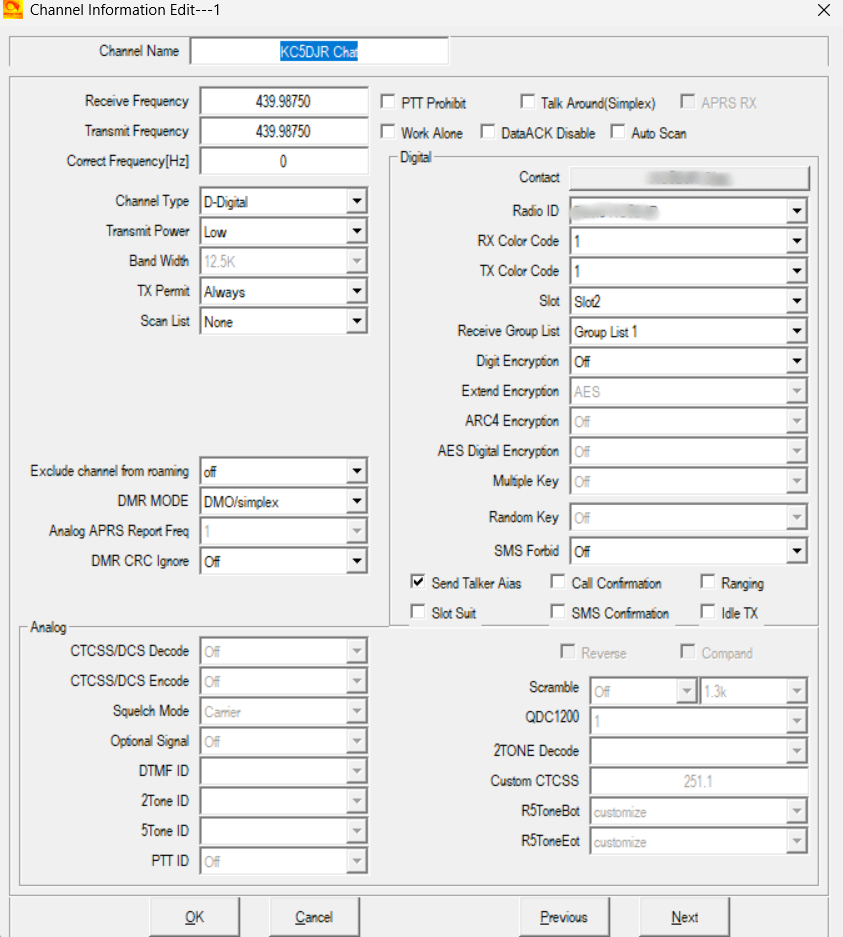
Below is a typical DMR channel configuration for use with a simplex MMDVM hotspot


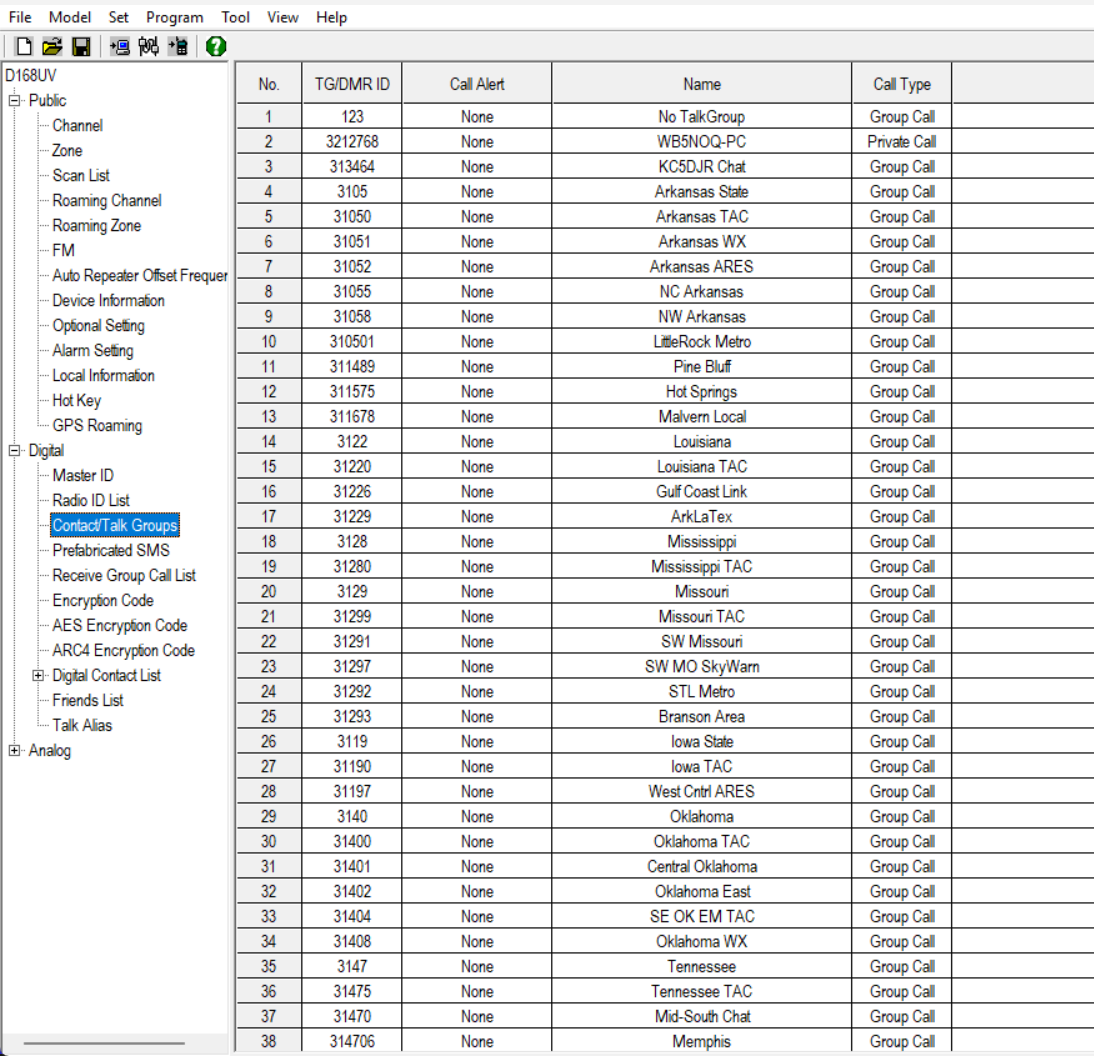
Talkgroup list


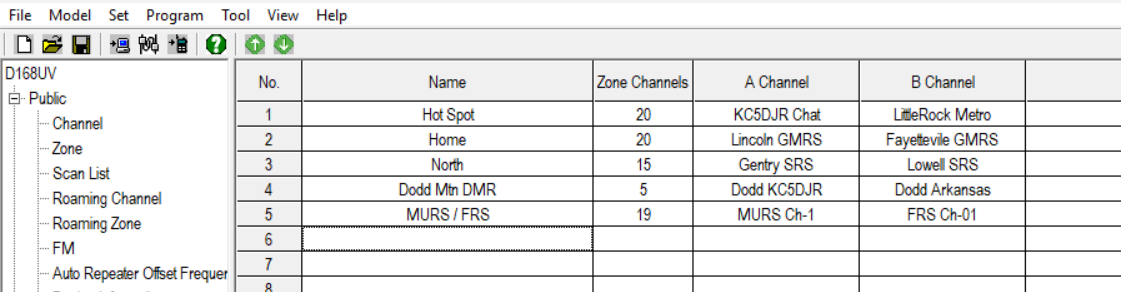
Zones list


Scan list


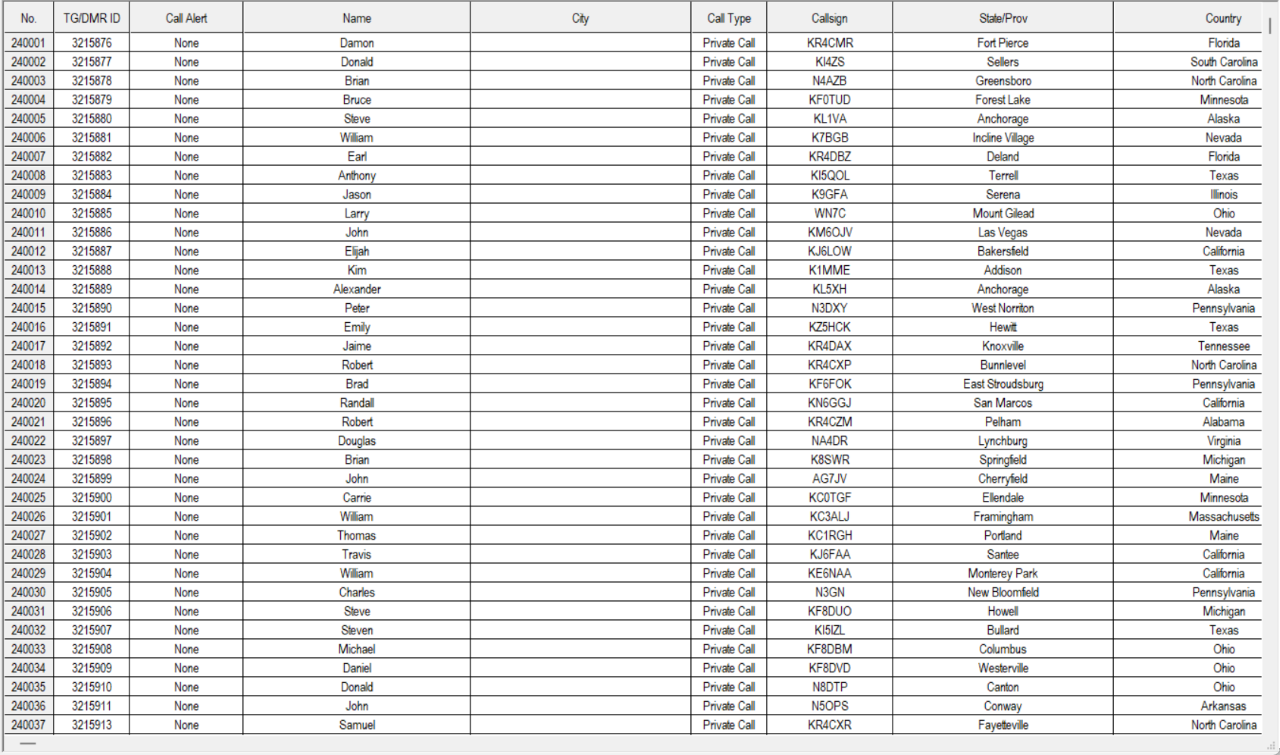
Digital contacts list, like an internal phone book


Do you need help with your DMR setup?


If you're not into all the technical mambo Jumbo and just want a complete plug & play setup I can do that for you

As a side hustle I  configure MMDVM pi-star hotspot as well for usually around $50 or less depending on the complexity of your setup required
I can make you a complete plug and play without the expensive chargers that you will pay Bridgecom or others.


What's included?
The following applies to DMR radios made for ham use and MMDVM pi-star devices only

    • Personal one on one instruction

    • Get you registered with RadioID.net to obtain your DMR user ID, or get the old one validated so you can use BrandMeister

    • Multiple DMR network registration / validation and password setup

    • Adding the BrandMeister talkgroup manager to your pi-star dashboard

    • Program your DMR radio with my custom code plugs, debloating your current plug, removing unnecessary talkgroup and zones, renaming talkgroup, clean up

    • pi-star hotspot configuration, adding additional DMR networks using DMR Gateway for TGIF, AmComm, QuadNet, FreeStar, System-X, XLX, BrandMeister, etc

    • Helping you with basic computer skills required for DMR code plugs and CPS software operation

    • Tech support via email, messenger, telephone, SMS text, remote PC, on the air using my AllStar node, Echolink node, my BrandMeister DMR talkgroup

    • Personal how to videos custom made for you and your setup

    • Tech Support should you run into any issues with the work I have done for you


Basically what I do is get you on the air with a working hotspot configuration and code plug for your radio, I have many happy individuals who are now on the air and enjoying DMR taking all the stress and anxiety out the DMR learning curve